
Powerschool Knowledge Article
Created Date: January 4, 2017
PowerSchool: How To Reset The Password of a Parent / Guardian
1. Go to the PowerSchool Parent/Student site of your school.
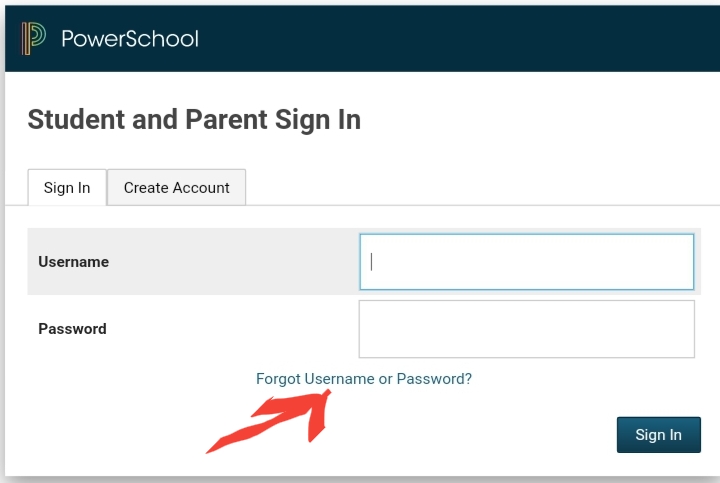
2. Click on Forgot Username or Password? link under the Password field
3. The recovery page will be seen. Go to the Forgot Password tab and fill out the necessary information:
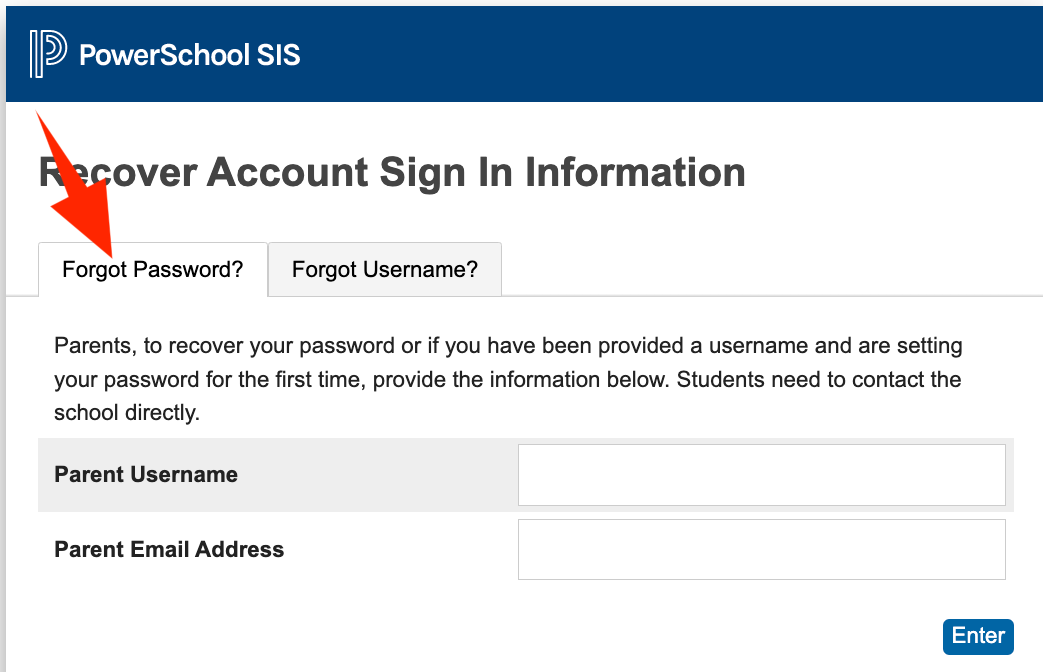
4. Click Enter.
5. An email will be sent to the parent / guardian regarding his / her password.
6. If the parent also forgot his/her username, go to the Fogot Username Tab
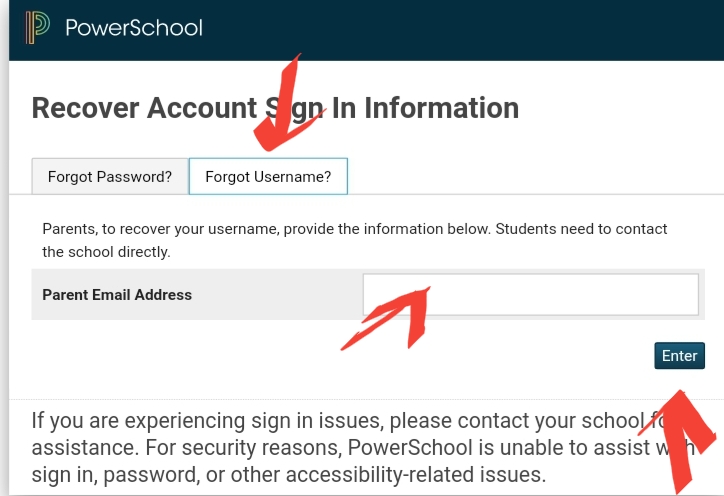
7. Enter the email address used in Powerschool then click on Enter.
8. An email will be sent to the registered email indicating the username
9. Follow the reset password process if needed.
For any questions, please send an email to the support team.