Powerschool Knowledge Article
Created: 10/17/2016
Quick Reference Guide
In this article, you should be able to learn how to add an Attendance Tracking Method in PowerSchool Portal.
1. On the start page, choose District under Setup in the main menu. The District Setup page appears.

2. Under Attendance, click Attendance Tracking and Notification. The Attendance Tracking and Notification page appears.

3. Click Tracking Methods. The Attendance Tracking Methods page appears.

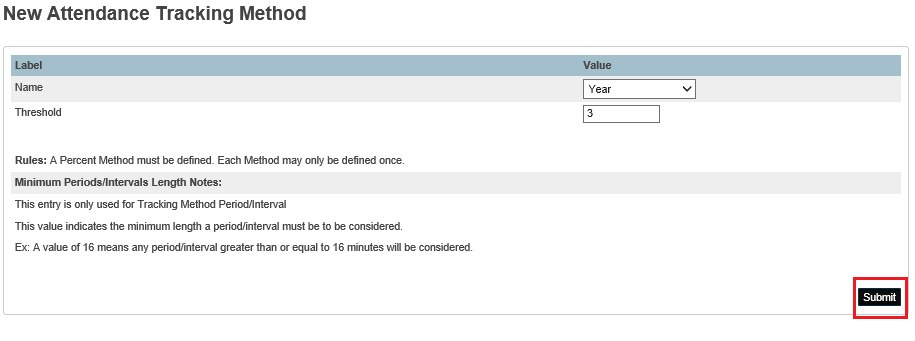
4. Click New. The New Attendance Tracking Method page appears.

5. Use the following table to enter information in the fields

6. Click Submit. The Attendance Tracking Methods page displays the new attendance tracking method.