
Profile Access Creation
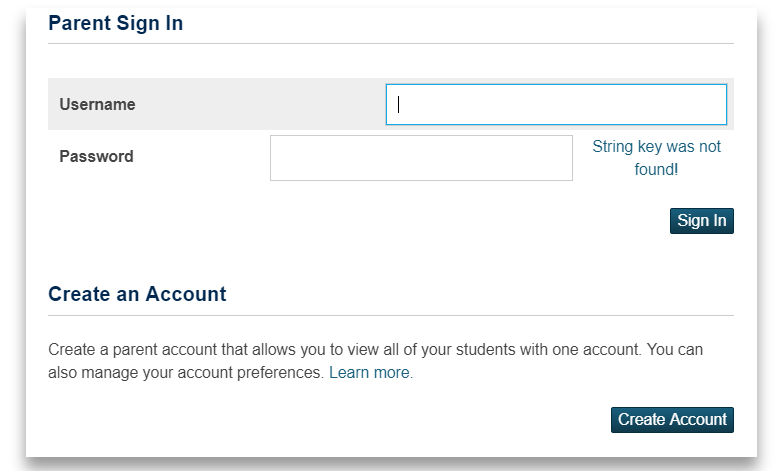
1. Log in to your PowerSchool Parent Portal Account.
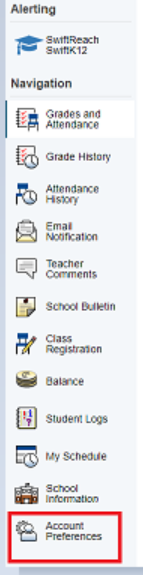
2. From the Left Navigation Menu Bar, go to Account Preferences
3. Go to Students Tab

4. Click the Add button

5. Enter the information needed
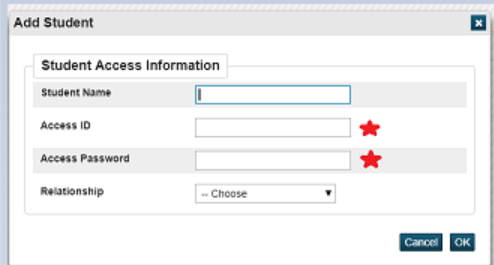
*** For Access ID and Access Password, your child's school should be able to provide you this information.
6. Click OK.
Switching between students profiles
Once you have added another child profile access in your existing PowerSchool account, a new tab with your child's name should appear at the top of the page. Just click on the tabs to switch over student profiles:

Questions?
Click here to contact the support team or go through our Knowledge Base page.