- Log into the District.
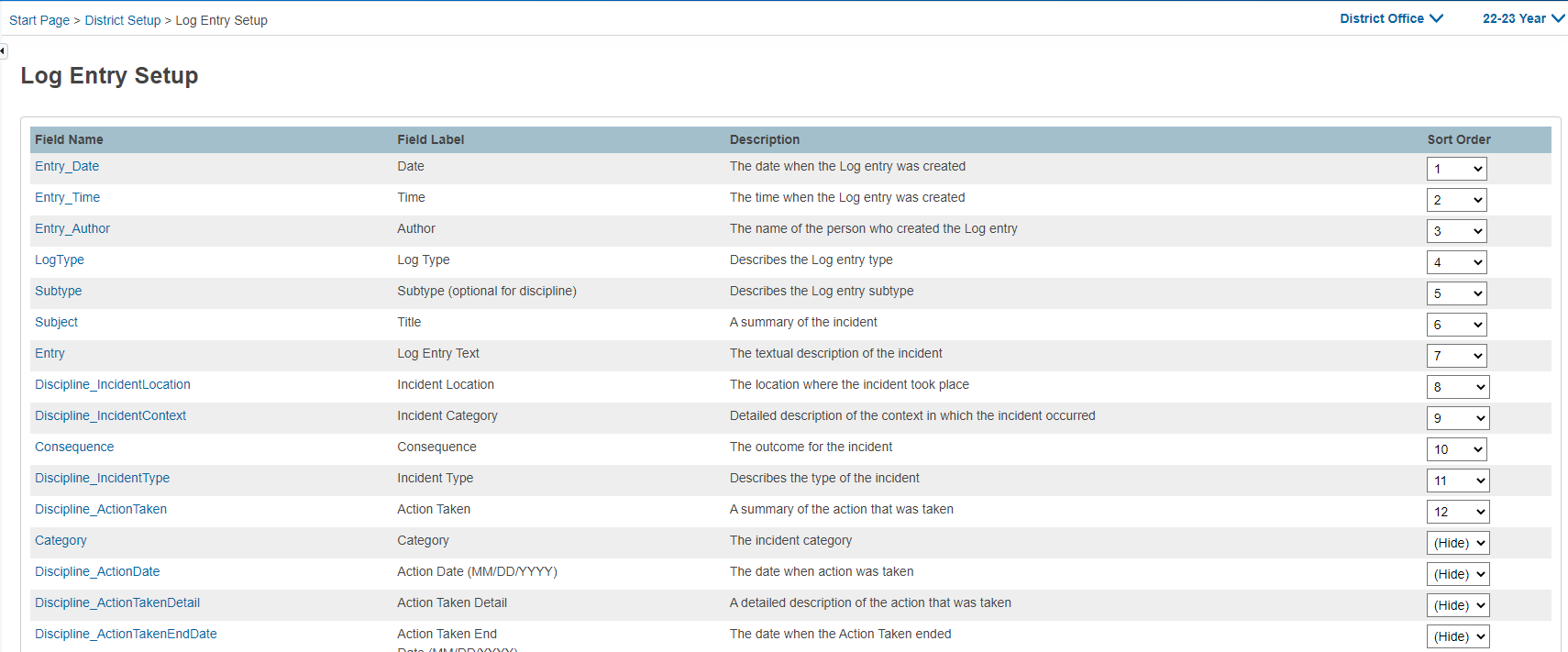
- Navigate to Start Page > District > Log Entry Fields. The Log Entry Setup page appears.
- Sort Order: Indicates the order in which fields appear on the Log Entries page. A value of 1 to 44 can be assigned. If two or more fields are assigned the same value, the fields appear in ascending alphabetical order within the selected sort order.
- (Hide): Choose this option to keep the field from appearing on the Log Entries page.
- No Sort Order: Fields that are not assigned a value appear in ascending alphabetical order at the bottom of the page.
Note: The following fields do not allow the configuration of Field Label or Input Type, and you cannot remove it from the student log entry fields:
-
- Entry_Date
- Entry_Time
- Entry_Author
- LogType
- Subtype
- Consequence
- Subject
- Entry
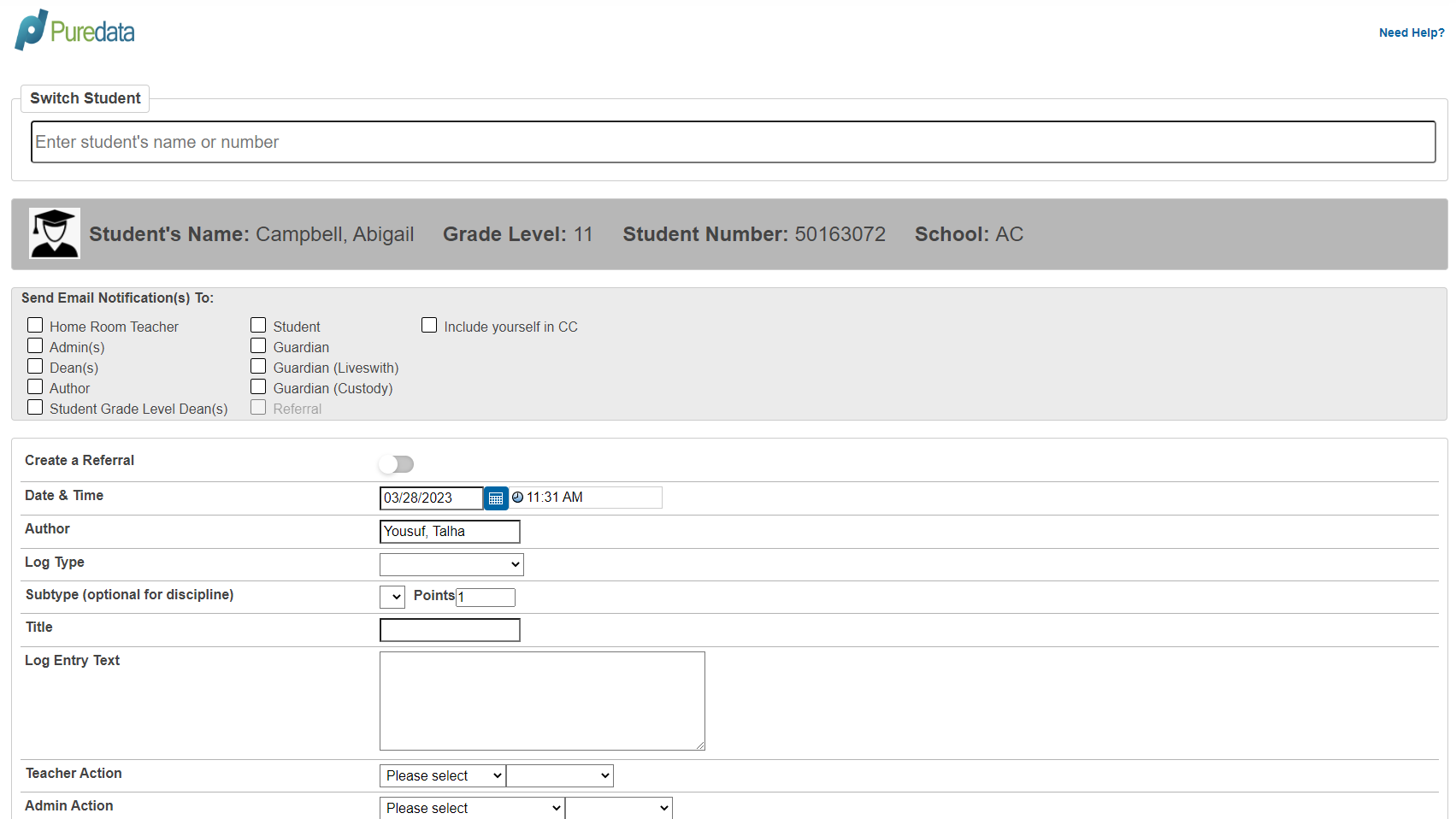
PureData Behavior Management Individual Student Entry: