
Summary
When logging into Puredata Dashboard portal, page prompts to log in to Tableau.
Current Workaround
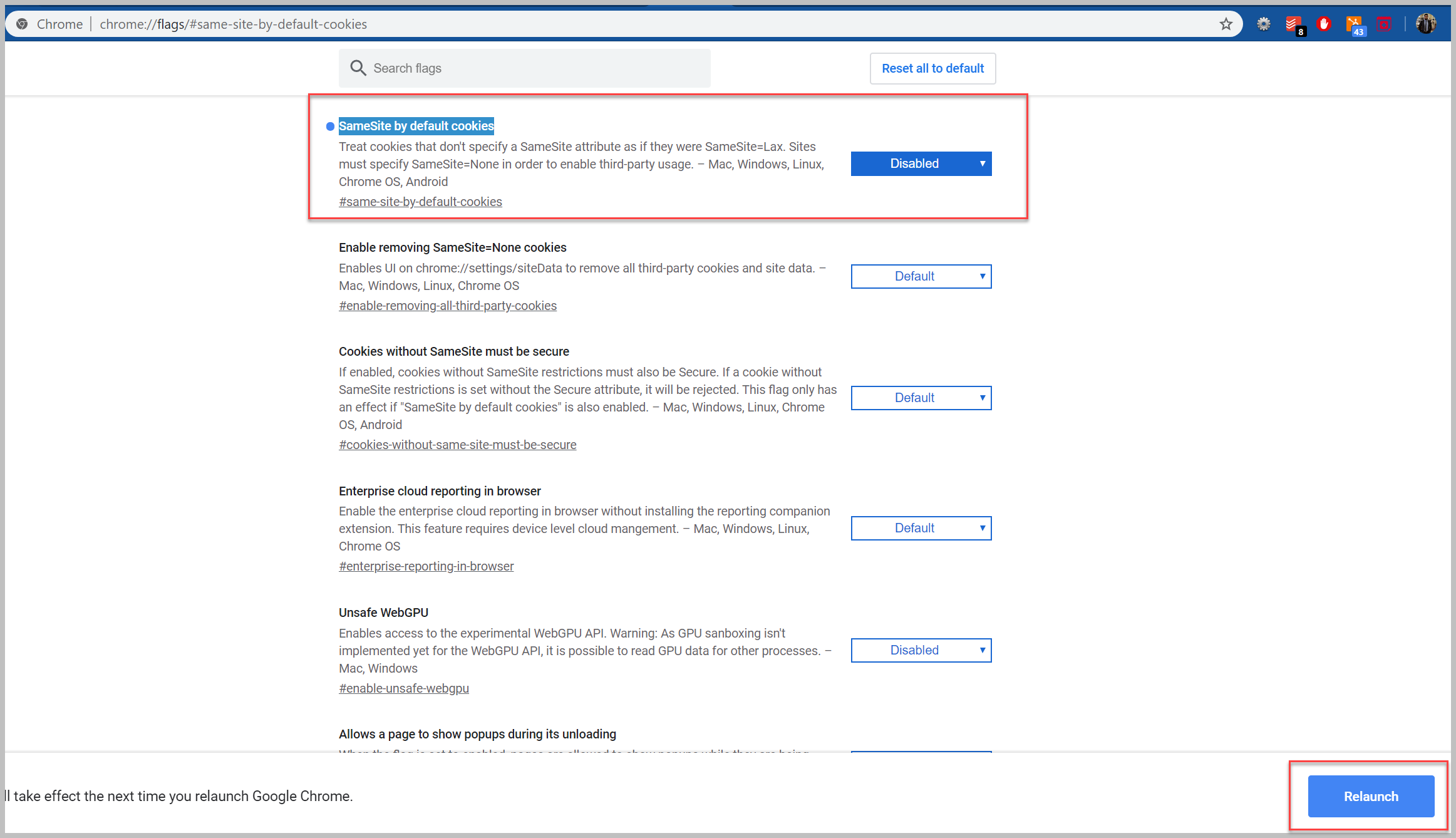
- Open Chrome browser
- Copy and Paste the following in your browser URL:
- 'Disabled' the 'SameSite by default cookies'
- Click on Relaunch
- Once the browser is reopened, please try to login to the PureData portal.
If the issue continues to happen, go to Chrome settings, and turn on the cookies settings: