
To export students' email addresses in PowerSchool:
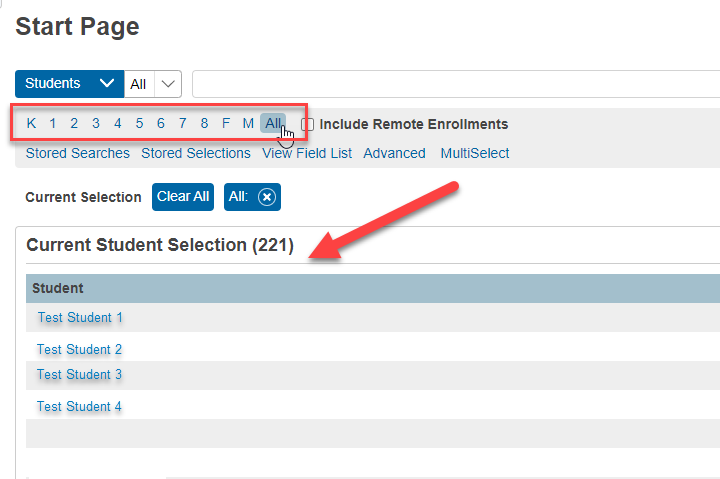
- In the homepage, select the student record/s you wanted to export. The record/s should appear under current selection
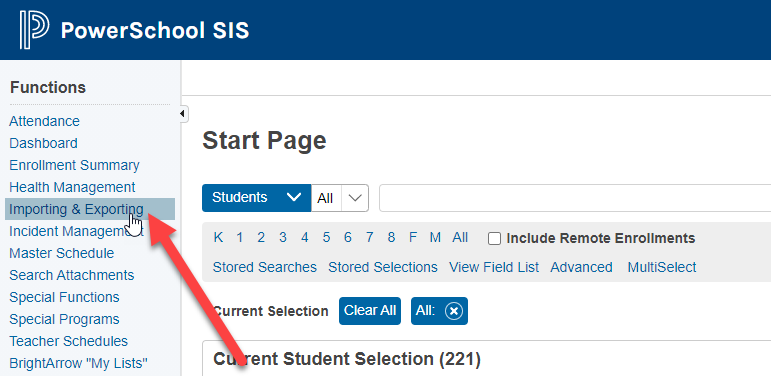
- Go to Importing & Exporting
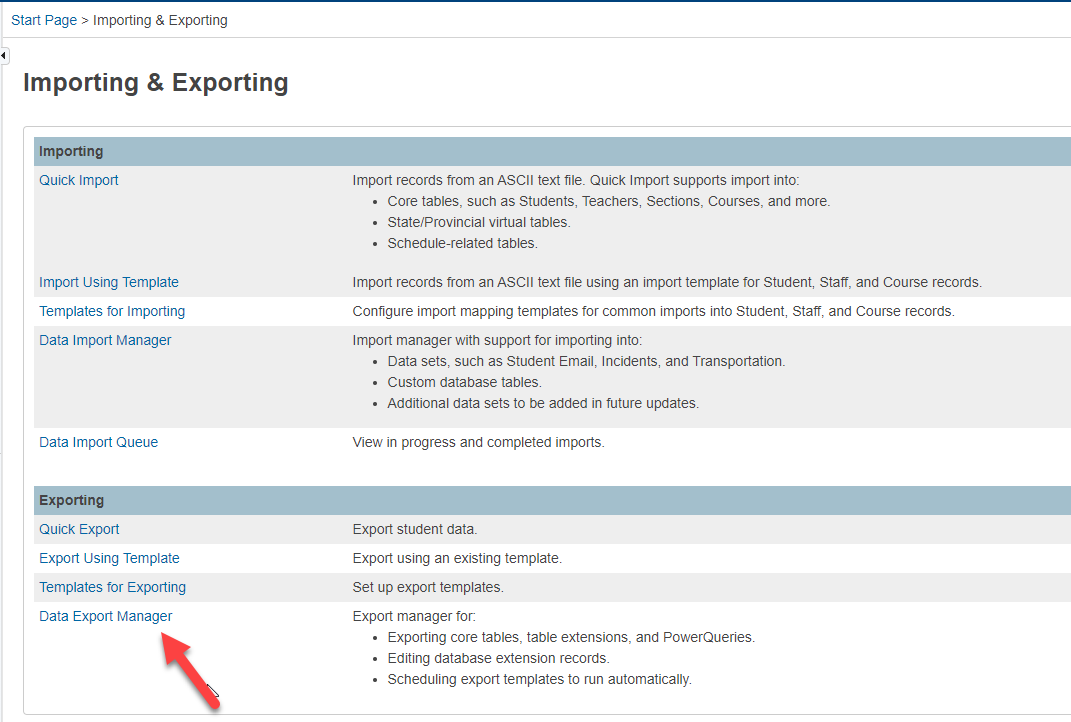
- Click Data Export Manager under Exporting
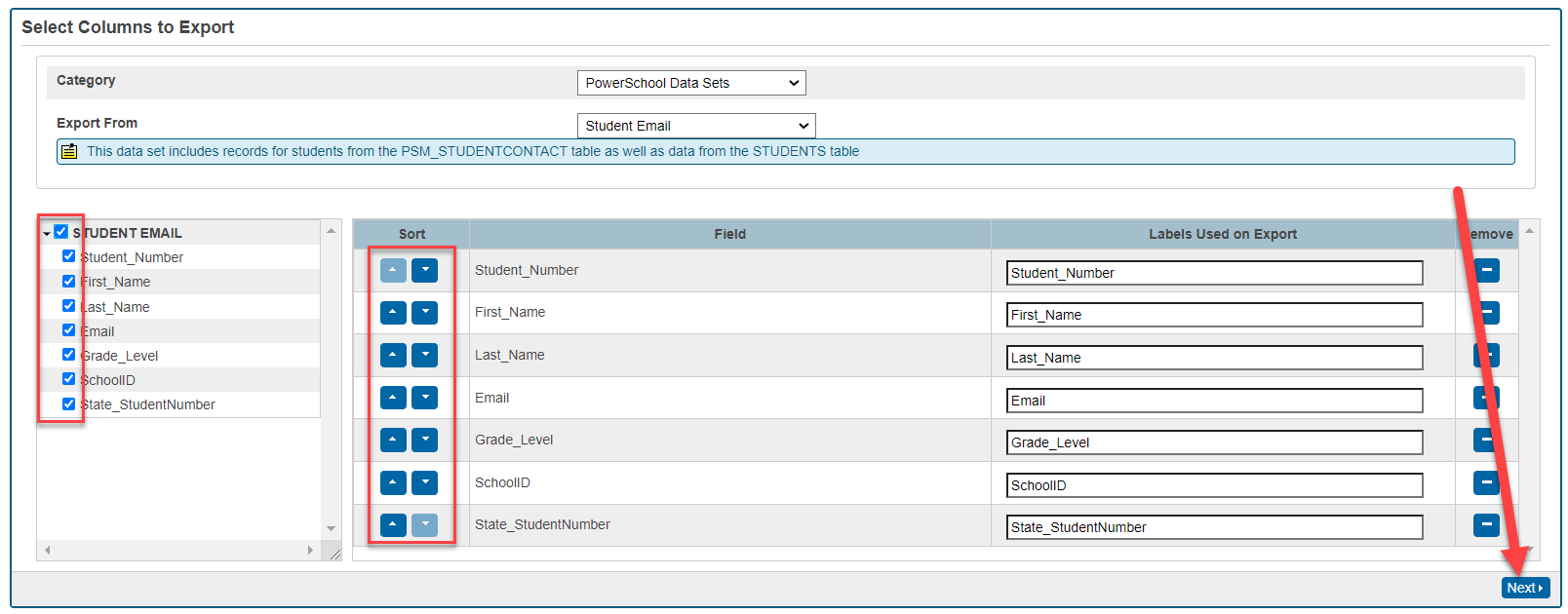
- Select PowerSchool Data Sets and Student Email
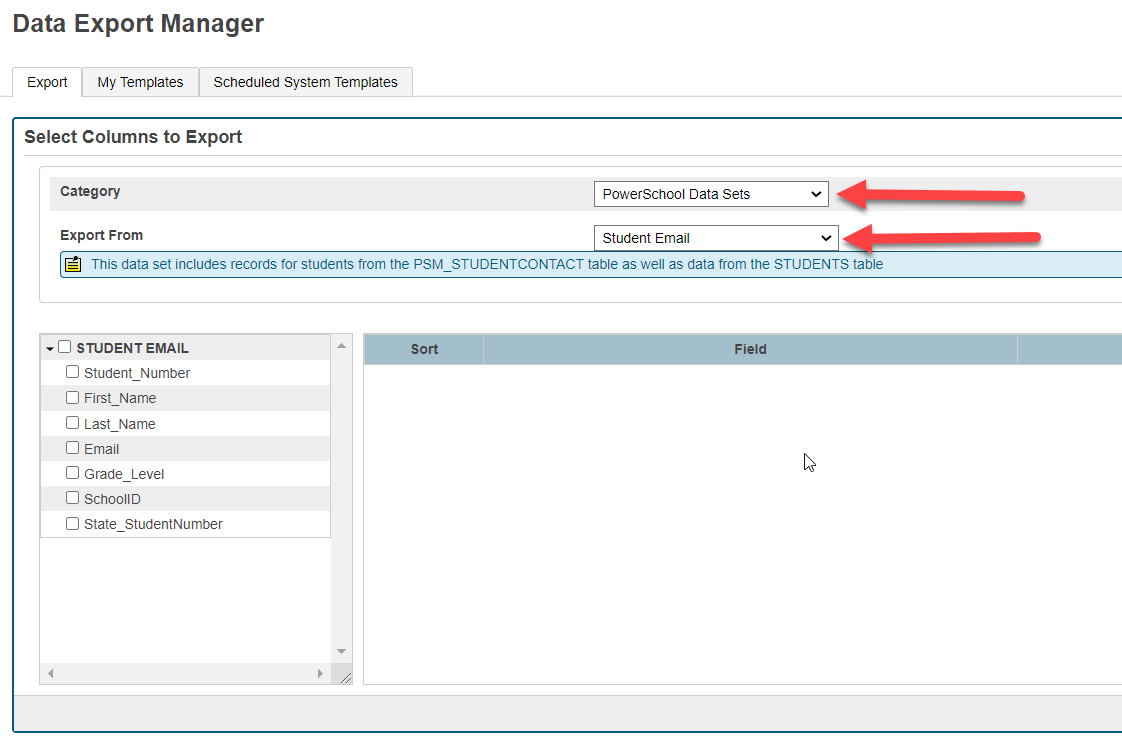
- Select the field/s you wanted to export, sort them accordingly then click Next.
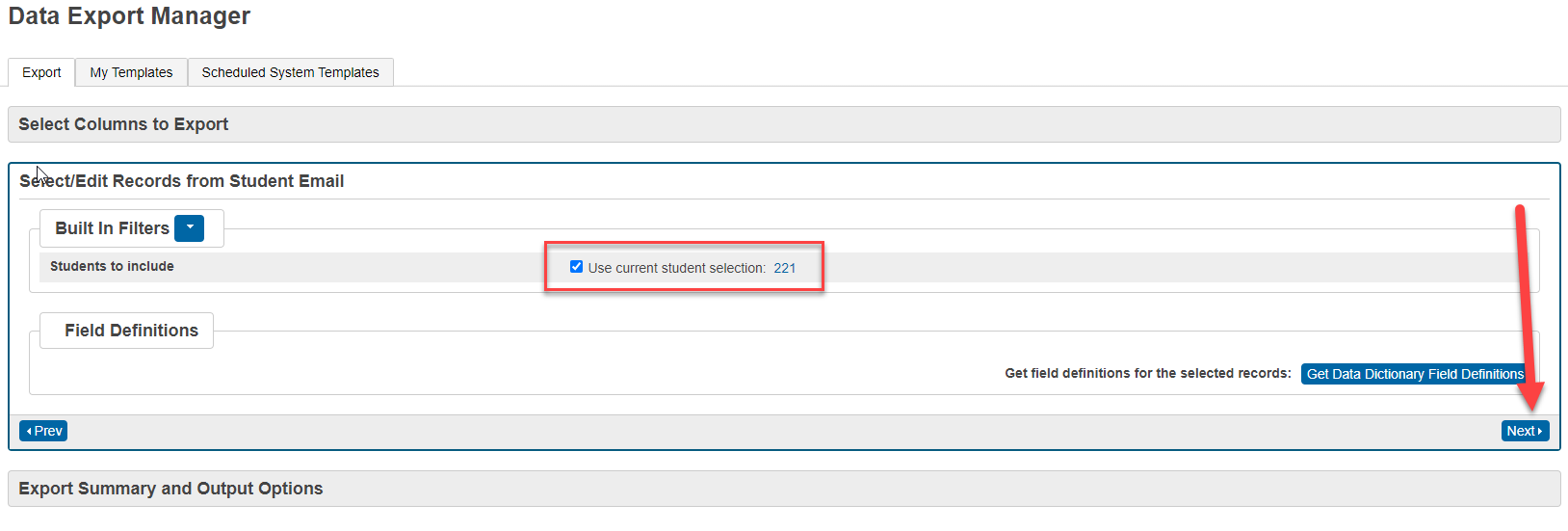
- Make sure you are exporting for the selected students then click Next.
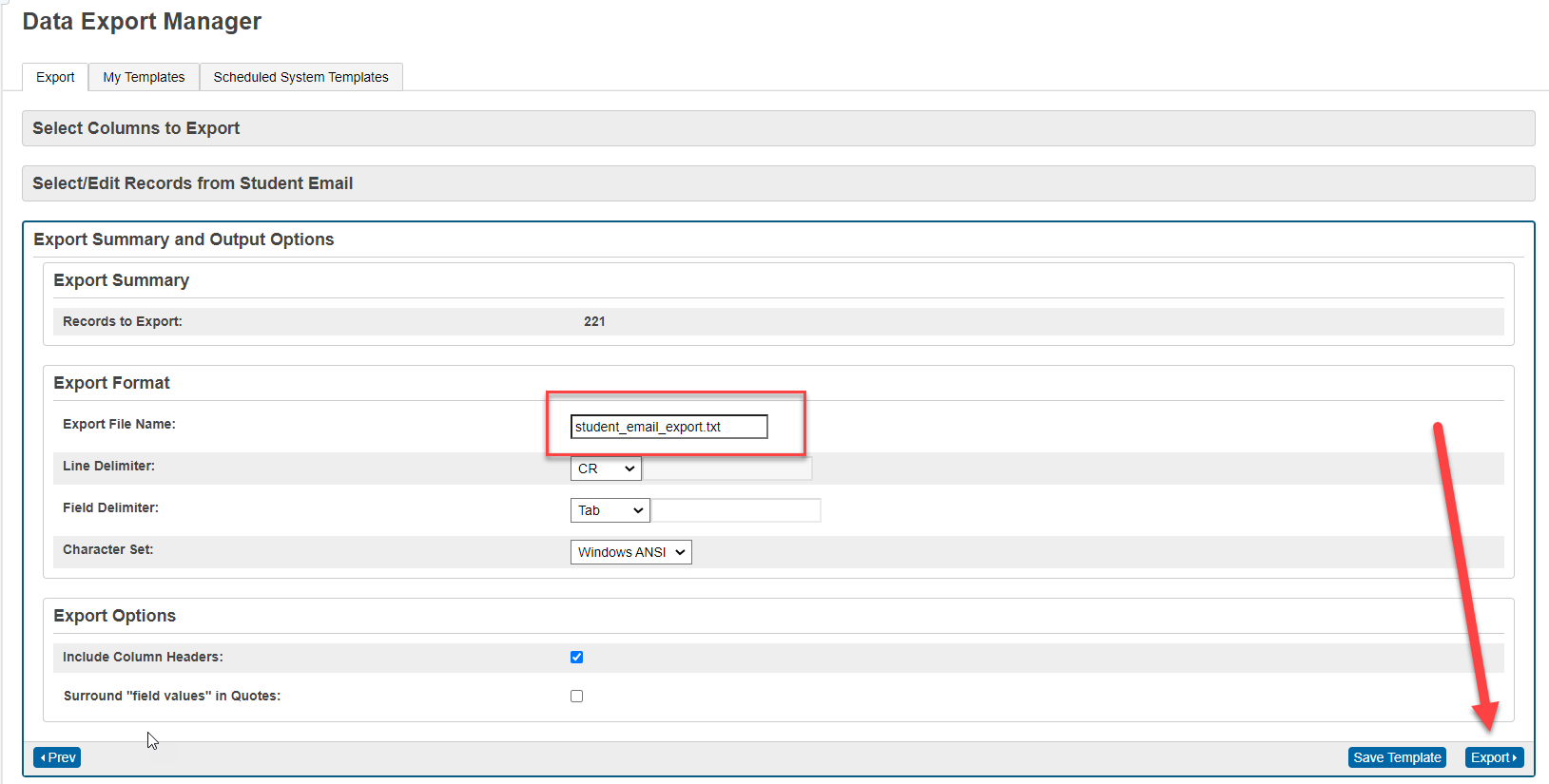
- PowerSchool has a default file name for the export but you can rename it. You can also save this export process as a template or just proceed to Export.
- Choose the location where you wanted it to save in your computer and click Save.
- Note that the file is in .txt format. If you want it to view it as an Excel sheet, you would need to import the file to Excel. (To import .txt file to Excel, click here.)