 Google Chrome:
- On your computer, open Chrome .
- At the top right, click More
 .
. - Click More tools
 Clear browsing data.
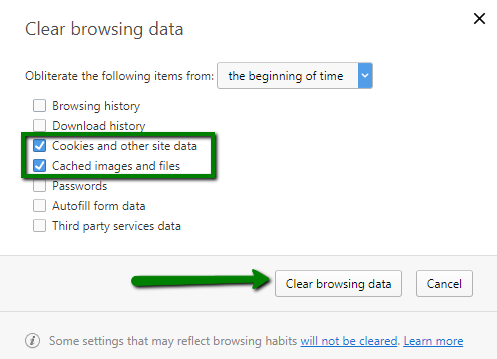
 - At the top, choose a time range. To delete everything, select All time.
- Next to “Cookies and other site data” and “Cached images and files,” check the boxes.

- Click Clear data.
 Edge Browser:
- On your computer, open Edge .
- At the top right, click Settings and More
 .
. - Click Settings Privacy, search and services.
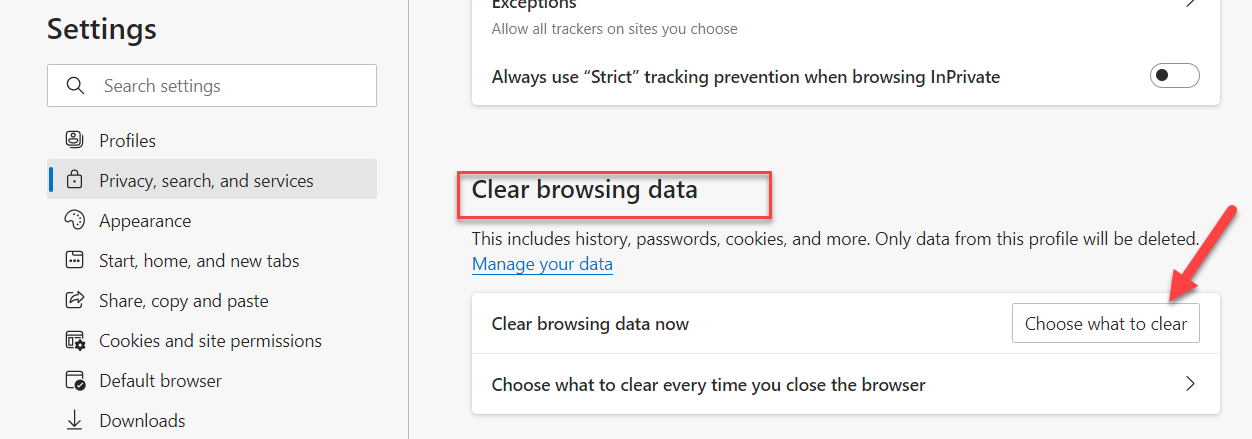
- Scroll down to Clear browsing data > Choose what to clear
- At the top, choose a time range. To delete everything, select All time.
- Next to “Cookies and other site data” and “Cached images and files,” check the boxes.
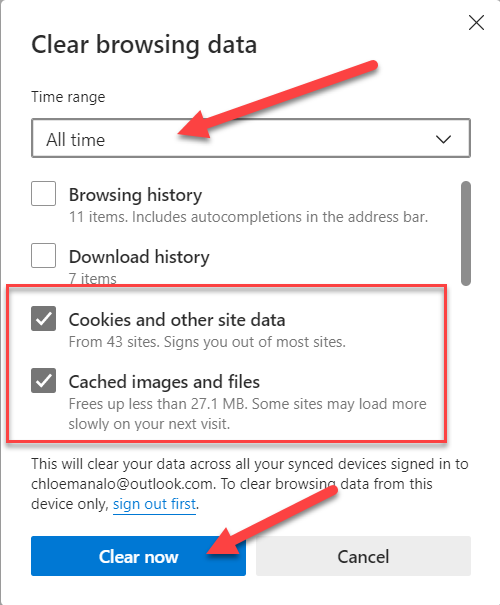
- Click Clear Now.
 Internet Explorer:
- Click on the gear icon in the top right-hand corner and then click “Safety”. Then choose “Delete browsing history” which will bring up a window that is shown in step 2.

- Make sure that the 1st box is unchecked and that boxes 2 and 3 are checked. Then click delete.

- After the deletion has completed, you should see a message at the bottom of the IE window that looks like below.

 Safari:
- Click on the Safari tab at the top right of your screen and choose Preferences from the dropdown menu.

- Click the Advanced tab of the menu that pops up.
- At the end of the tab, select the “Show Develop menu in menu bar” box and close the Preferences menu.

- Click the Develop tab from the Safari menu at the top of the page.
- Click Empty Caches from the dropdown menu.

 Mozilla Firefox:
1. At the top of the Firefox window, click on Settings  button and then select Options: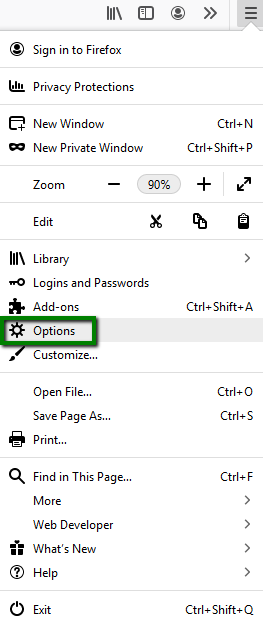
2. Select the Privacy & Security tab.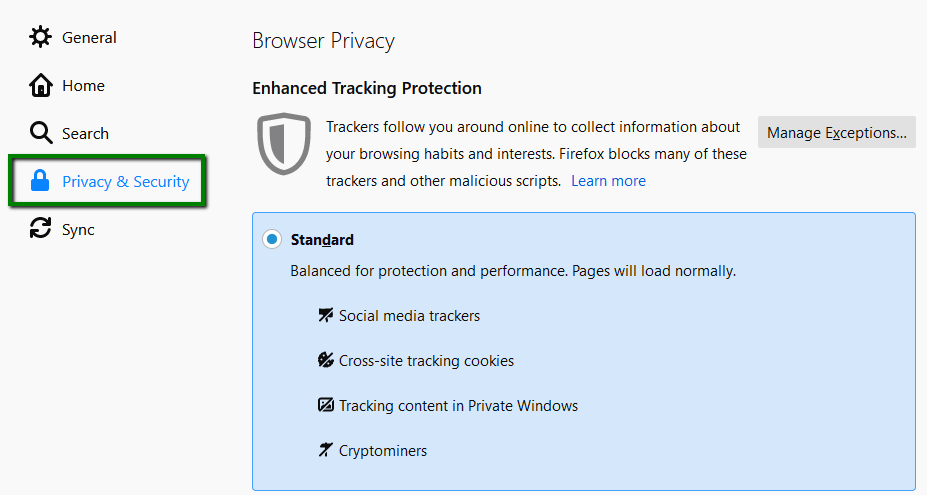
3. In the Cookies and Site Data section, click Clear Data >> Clear:
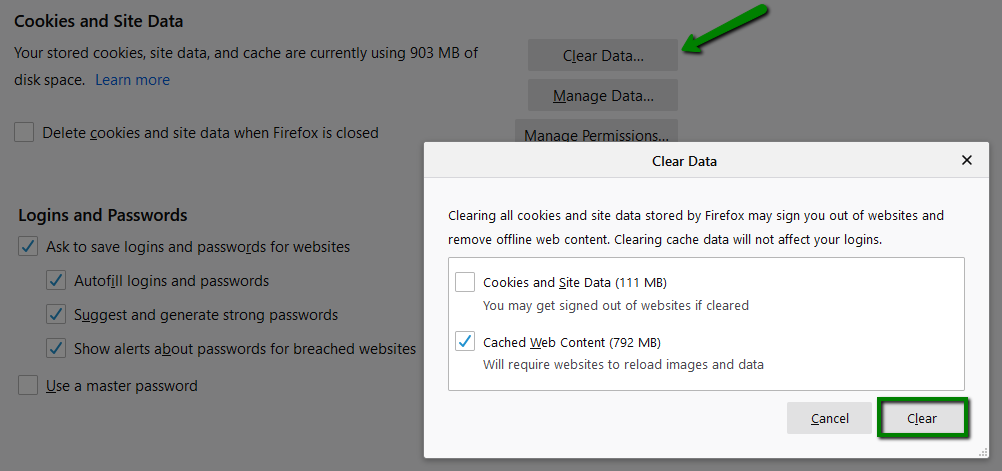
You can also press Ctrl + Shift + Delete in the browser’s window, check off the content to remove and click on the Clear Now button: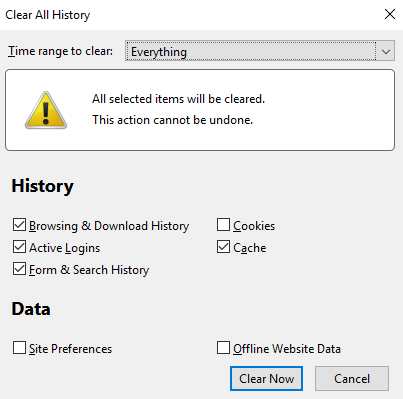
 Opera:
1. Click on the Opera button in the top left corner, then select Settings: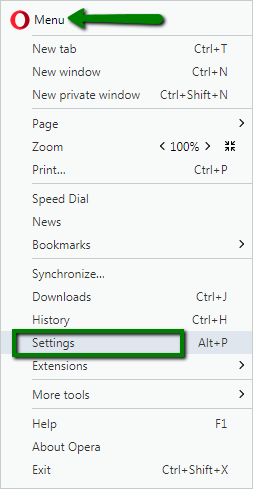
2. Go to Privacy & security and click Clear browsing data...: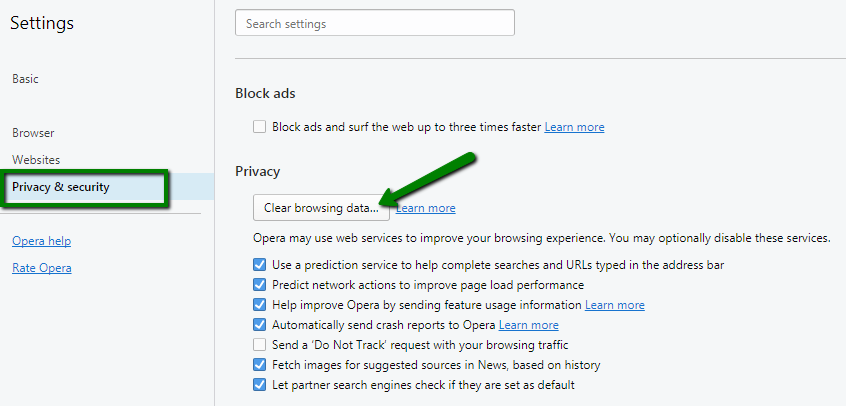
Make sure only the following are checked:
- Cookies and other site data
- Cached images and files
3. Click on the Clear browsing data button: